Geotab add-ins, AI + training Your fleet data, built your way.
MyGeotab does a lot out of the box. When your team needs a screen it doesn't have, a report nobody can find, or an answer that takes six clicks, Fleet Wolf builds it. We write custom add-ins for MyGeotab and Geotab Drive, connect your fleet data to AI, and train your people to use all of it.
An add-in is a page that lives in your MyGeotab menu, signed in with the user's own access. No new login and no export to a spreadsheet. These are add-ins Fleet Wolf has built. Every screenshot uses sample data.
Installed add-in
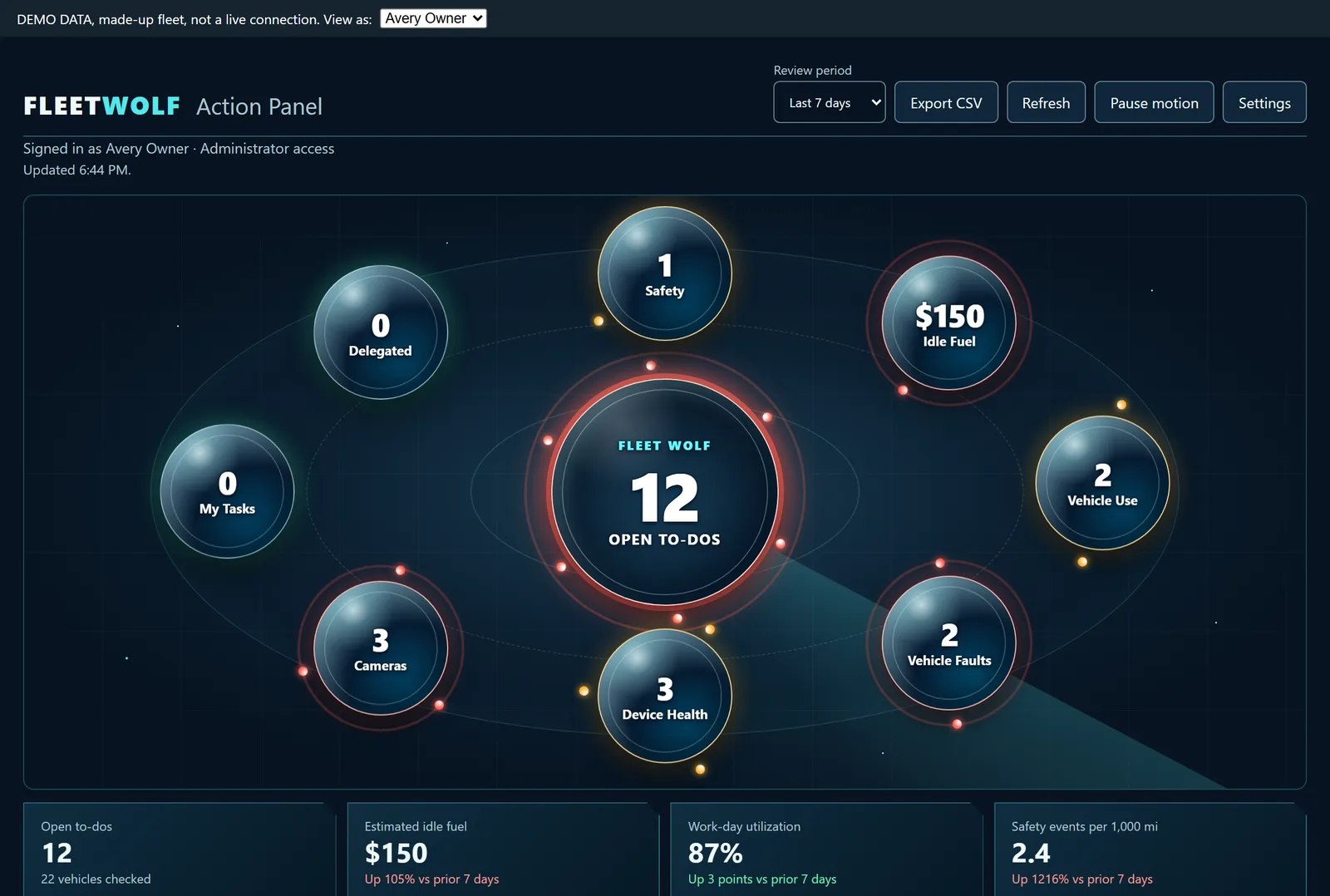
Action Panel
One screen that turns safety events, idle fuel, vehicle faults, device health and camera events into a to-do list. Each orb is a count that needs an owner. Managers delegate items, see what is still open, and export the list.
Open to-dos, delegated work and my tasks
Idle fuel cost and work-day utilization
Safety events per 1,000 miles, with the trend
Installed add-in
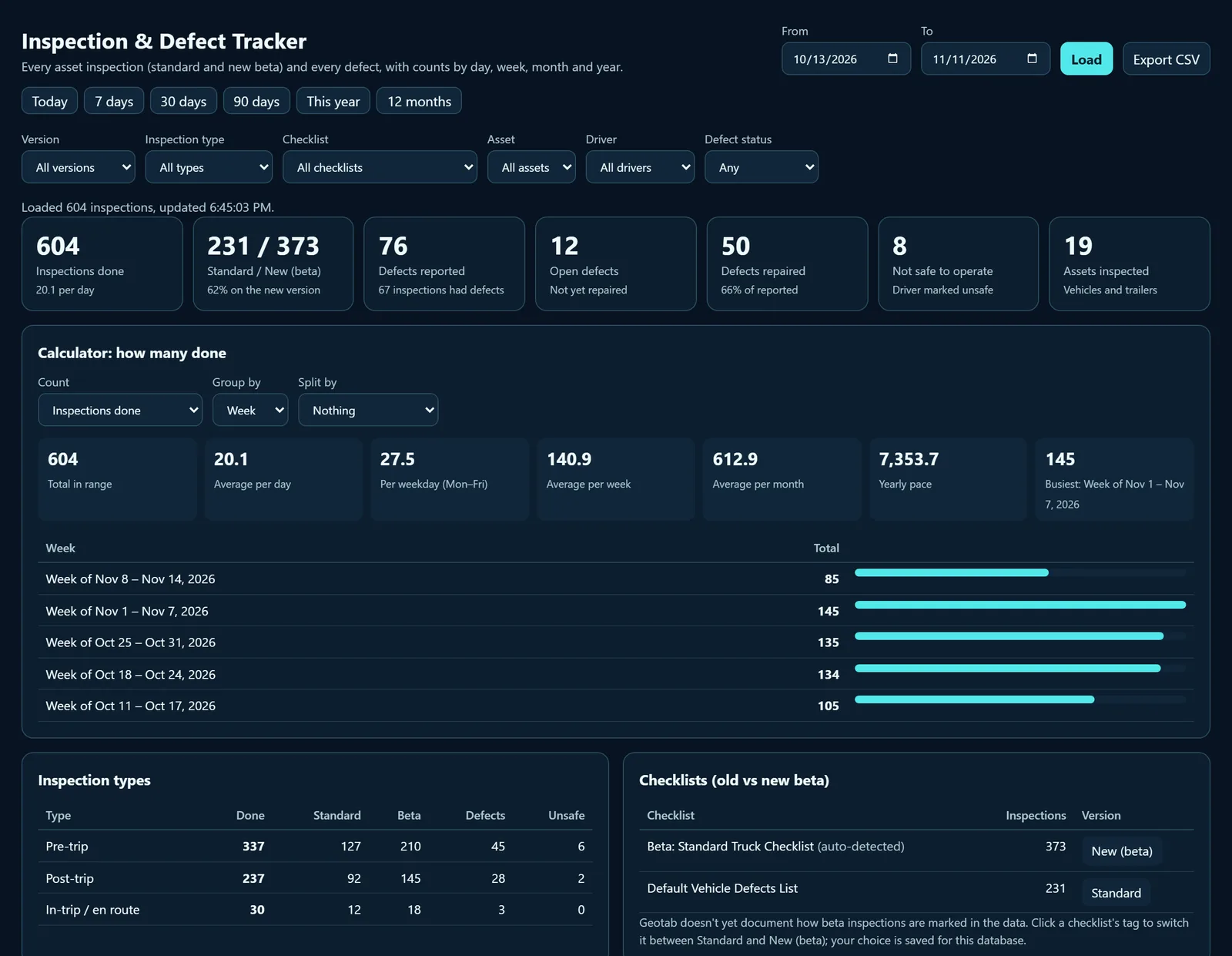
Inspection & Defect Tracker
Every inspection and every defect in one place, counted by day, week, month or year. It splits standard and new beta inspections, shows which assets have the most defects, and tracks what is still open.
Inspections done, per day and per week
Defects reported, repaired and still open
Pre-trip, post-trip and in-trip counts by driver
Design concept
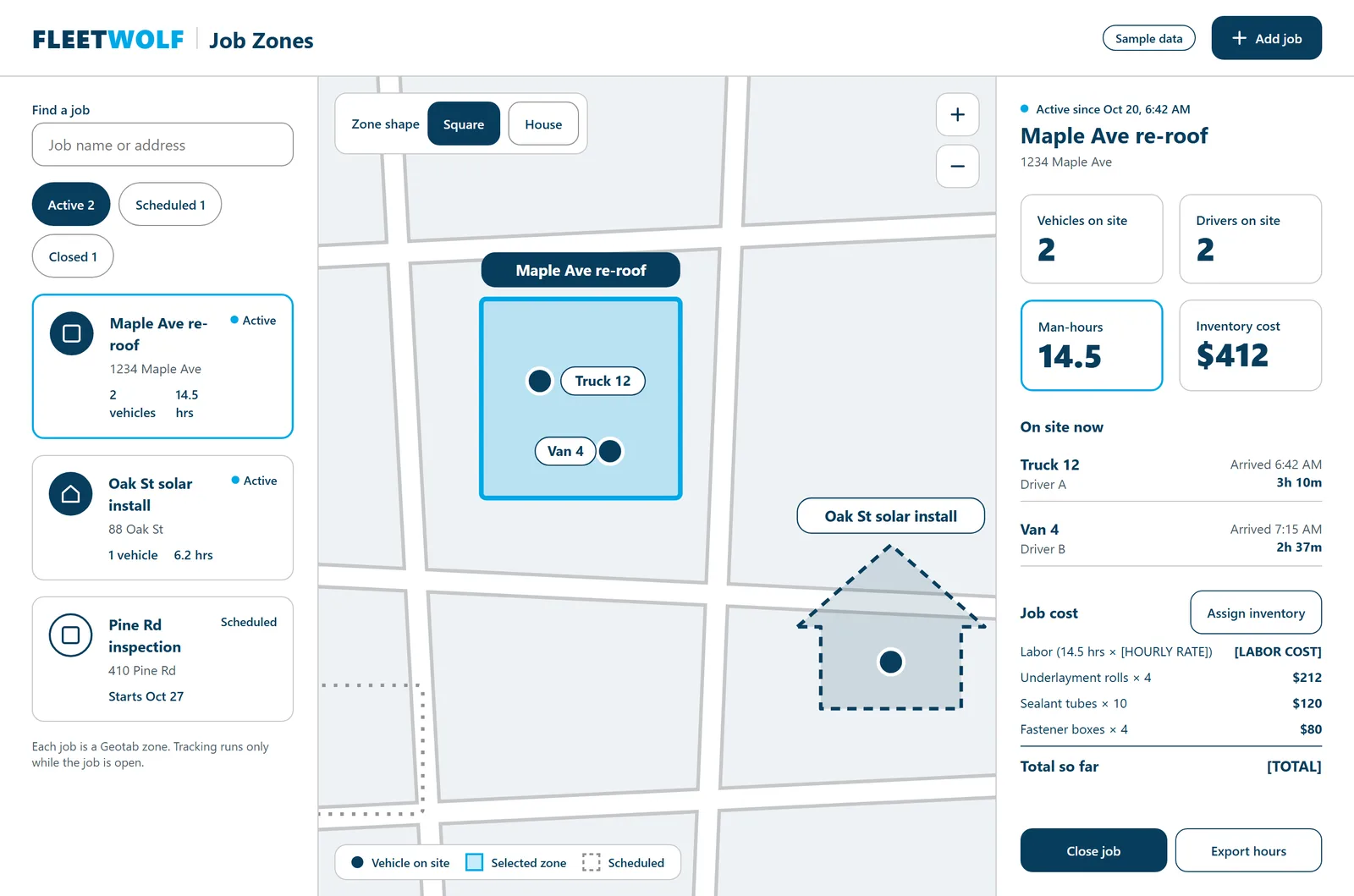
Job Zones
Each job becomes a Geotab zone. While the job is open, the add-in counts the vehicles and drivers on site, adds up man-hours, and puts labor and materials into a running job cost. Close the job and export the hours.
Square or house-shaped zones placed by address
Arrival times and time on site for each vehicle
Man-hours plus assigned inventory for job cost
02 / GEOTAB DRIVE BUILDS
Screens for the driver's phone.
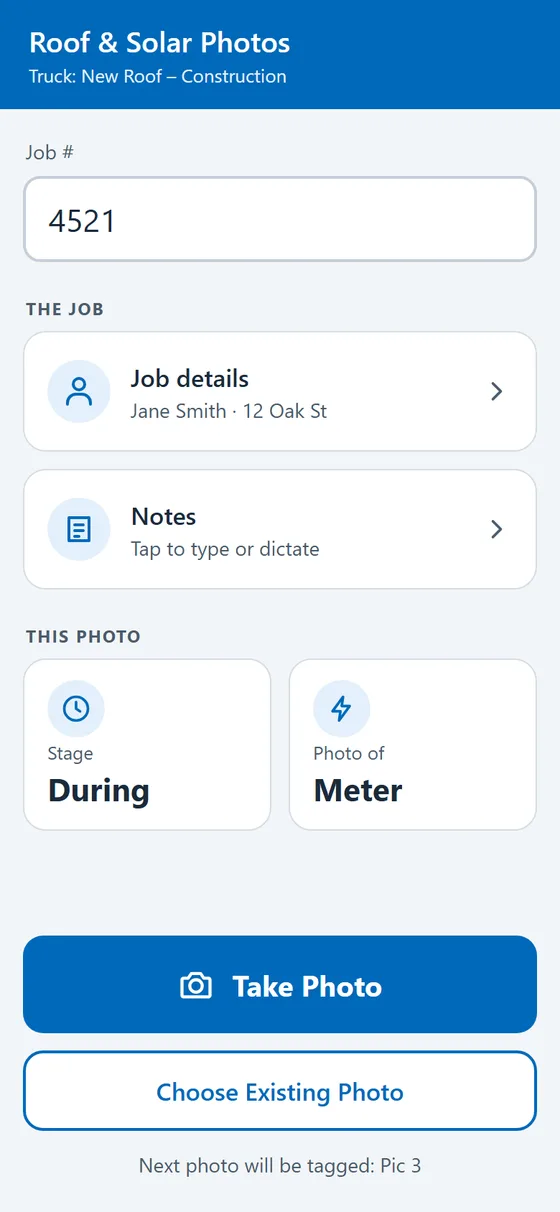
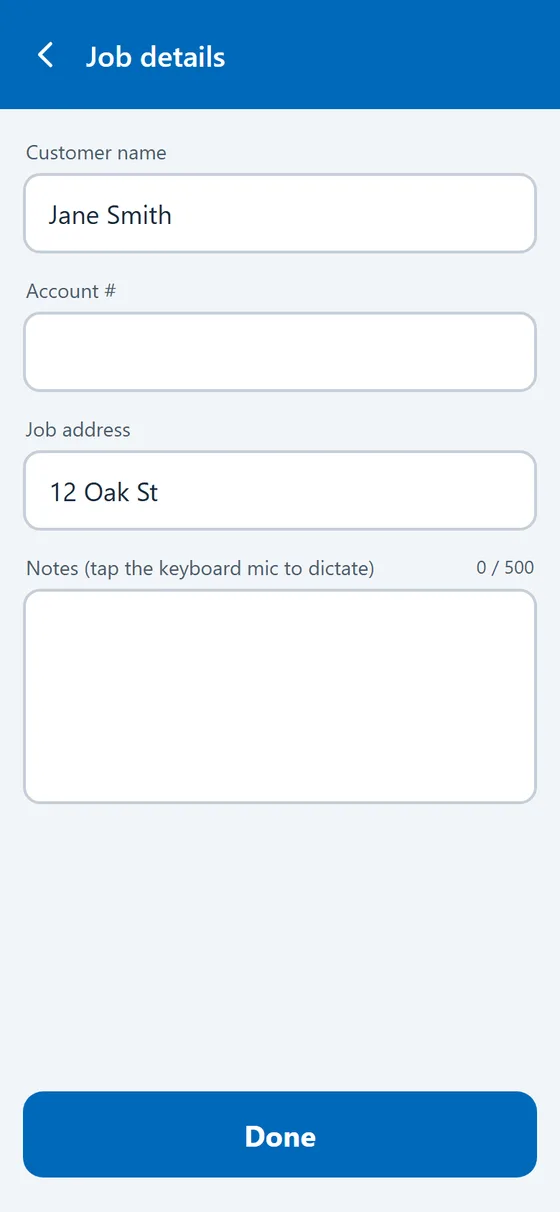
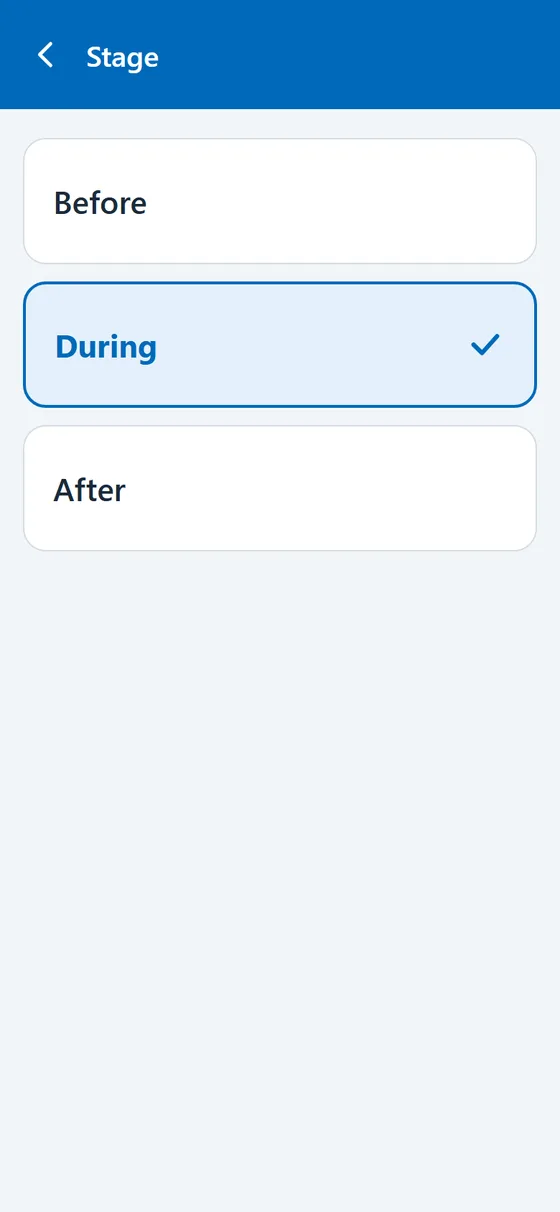
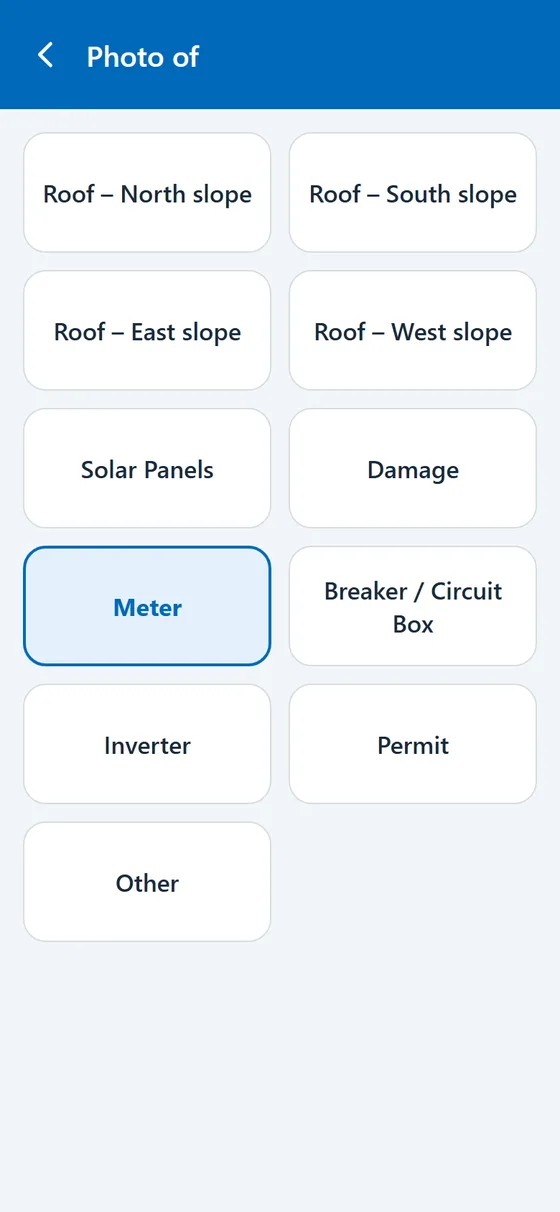
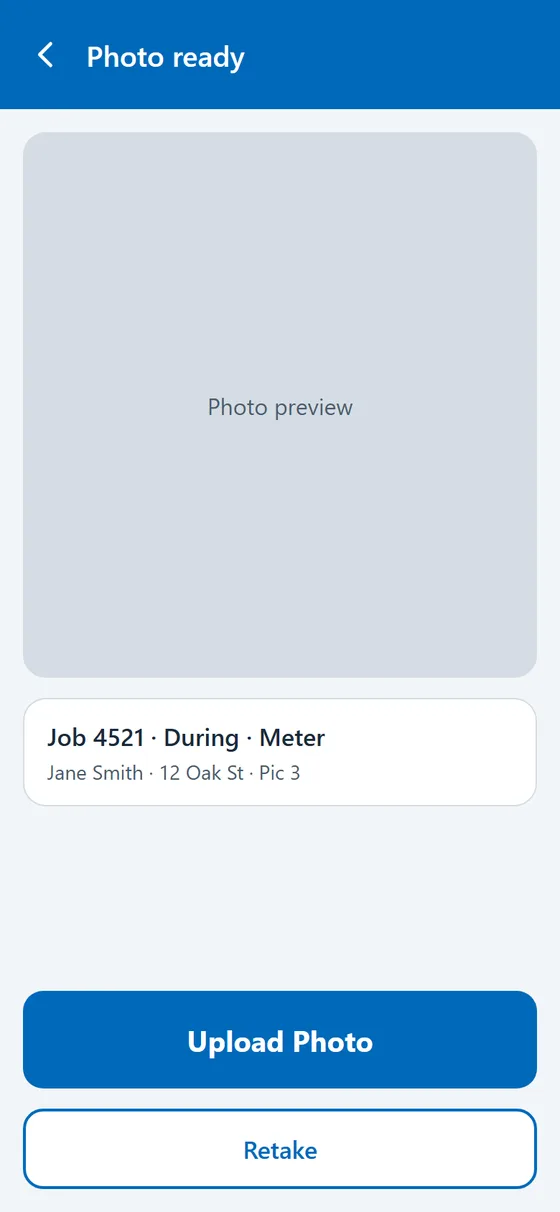
Geotab Drive add-ins run in the app your drivers already use. This one tags job photos so the office knows what each picture shows before anyone opens it: job number, stage, and what was photographed. Big buttons, few words, built for gloves and sunlight.
1 Pick the job2 Job details3 Before, during, after4 What's in the photo5 Tagged and uploaded
Roof & Solar Photos, proposed phone flow. Sample job and customer details.
03 / AI INTEGRATION
Ask the fleet a question. Get a straight answer.
Geotab Ace is the AI assistant built into MyGeotab. We help your team set it up and learn which questions it answers well. When you need more, we connect your Geotab data to the AI tools your company has approved, so a manager can ask in plain English and get an answer drawn from real trips, faults and exceptions.
Every AI build starts read-only. It answers and drafts; a person decides what happens next.
“Which inspections found a defect that is still open?”
“How many hours were we on site at each job this week?”
Examples of questions, not live responses.
04 / CUSTOM REPORTING
The report you keep rebuilding by hand.
If someone on your team exports from MyGeotab every Monday and fixes it up in a spreadsheet, that report can be built once and delivered on its own.
Miles by state
Miles driven in each state for fuel tax and IFTA prep, by vehicle and by month.
Fuel, mileage and idle
Fuel used, miles driven and idle time for each vehicle, with the worst offenders at the top.
Job arrival and departure
When each crew arrived and left a job site, matched to the job list your office already keeps.
Inspection and defect counts
Inspections done and defects still open, ready for the safety meeting or an auditor.
Weekly fleet review
A short weekly summary for owners: what changed, what needs attention, and who owns it.
Your own question
Tell us what you want to know each morning. We'll find the data and build the report around it.
05 / TRAINING
Training your team will actually use.
A tool nobody knows how to use doesn't help anyone. Fleet Wolf trains each group on the parts of Geotab they touch, live and on your own database.
Admins and managers
MyGeotab setup
Rules, zones, groups, users and security clearances. How to find a trip, a fault or an exception fast.
Drivers
Geotab Drive
Logging in, hours of service, inspections and defects, and any Drive add-ins we build for your crews.
Office and owners
Geotab Ace and AI
Which questions to ask, how to check an answer, and when a report or add-in is the better tool.
Everyone
Your custom add-ins
Every add-in we build comes with a walkthrough and a one-page quick-start guide for the people who use it.
HOW A BUILD WORKS
From question to screen.
Tell us the problemWhat you check by hand today, who needs the answer, and how often.
See it on sample dataWe build a working version on a demo fleet so you can try it before it touches your account.
Install in your databaseThe add-in goes into your MyGeotab menu or Geotab Drive, using each person's existing access.
Train and adjustWe walk your team through it and change what doesn't fit how you work.
START A BUILD
What should your add-in do?
Tell us what your team needs and which systems you use. Fleet Wolf will review it and follow up with a practical starting point. Prefer to talk? Email sales@fleetwolf.com or call 626-384-9013.